Text
Start here when your idea is a written brief and you do not need an existing image to define the result.
- Resolution
- 1K · 2K · 4K
- Aspect ratio
- 1:1 · 2:3 · 3:2 · 3:4 · 4:3 · 4:5 · 5:4 · 9:16 · 16:9 · 21:9
Native 4K images and editing with up to 16 references. Make images in your browser, and see the credit price before you generate. Free to try: new accounts get 100 credits with no card.
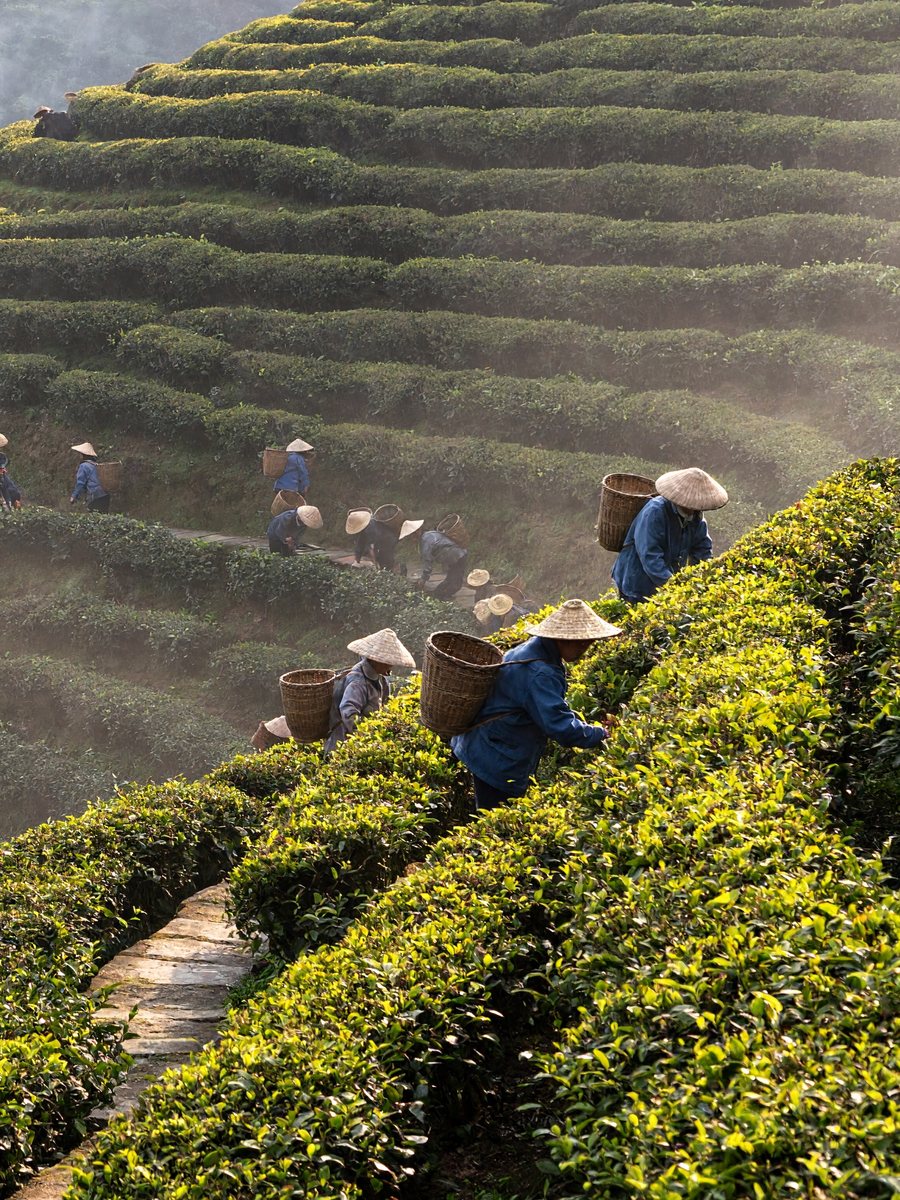
Tea terraces in morning mist
See the full prompt, model settings and reference details in the examples section below, or load this brief into the generator.
Real outputs with the prompt and settings used. Use any prompt as a starting point.
MiniMax H3 ImageCinematic digital photograph of a steep terraced tea plantation in early morning mist, shot from across the valley with a long lens. Dozens of tea pickers in conical straw hats and faded blue jackets are spread along the curving rows, each one small but distinct, wicker baskets on their backs. A narrow stone path zigzags up between the terraces, a red-roofed drying shed sits at the top left with thin wood smoke rising. Low sun from the right catches dew on the tea bushes. Cool green and warm gold tones, shot on a modern digital cinema camera at low ISO, smooth tonal gradations, slightly uneven light, horizon a touch off level.
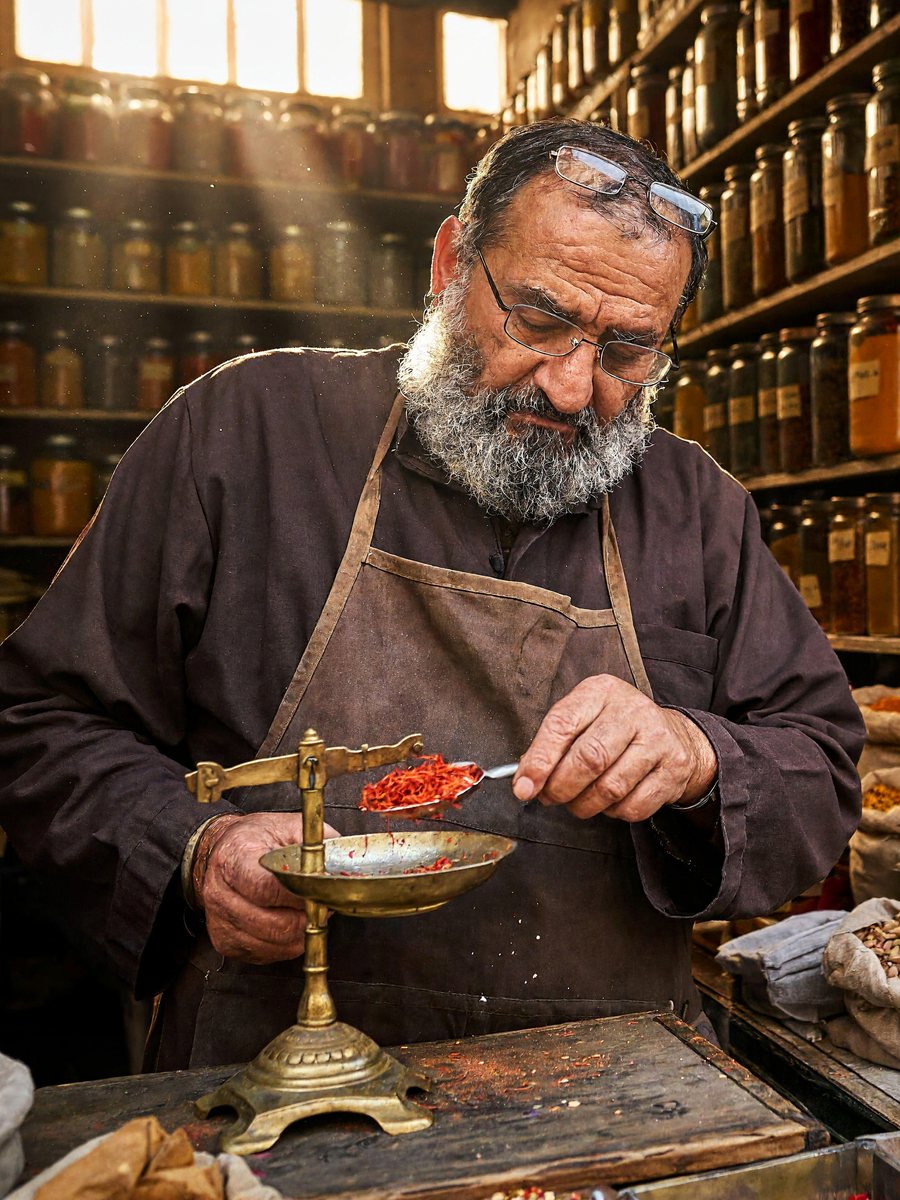 MiniMax H3 Image
Cinematic digital photograph of a crowded spice stall in a covered market. Floor-to-ceiling wooden shelves hold over a hundred glass jars and open sacks of turmeric, paprika, dried rose petals, cardamom and star anise, each with a small handwritten paper label in black marker. The stall owner, a man in his sixties with a grey beard and reading glasses pushed up on his forehead, weighs saffron on a small brass scale, looking down at it. Shafts of daylight from a high window, dust in the air, warm ochre and red tones, a worn wooden counter, low ISO, smooth tonal gradations, framing slightly off-center.
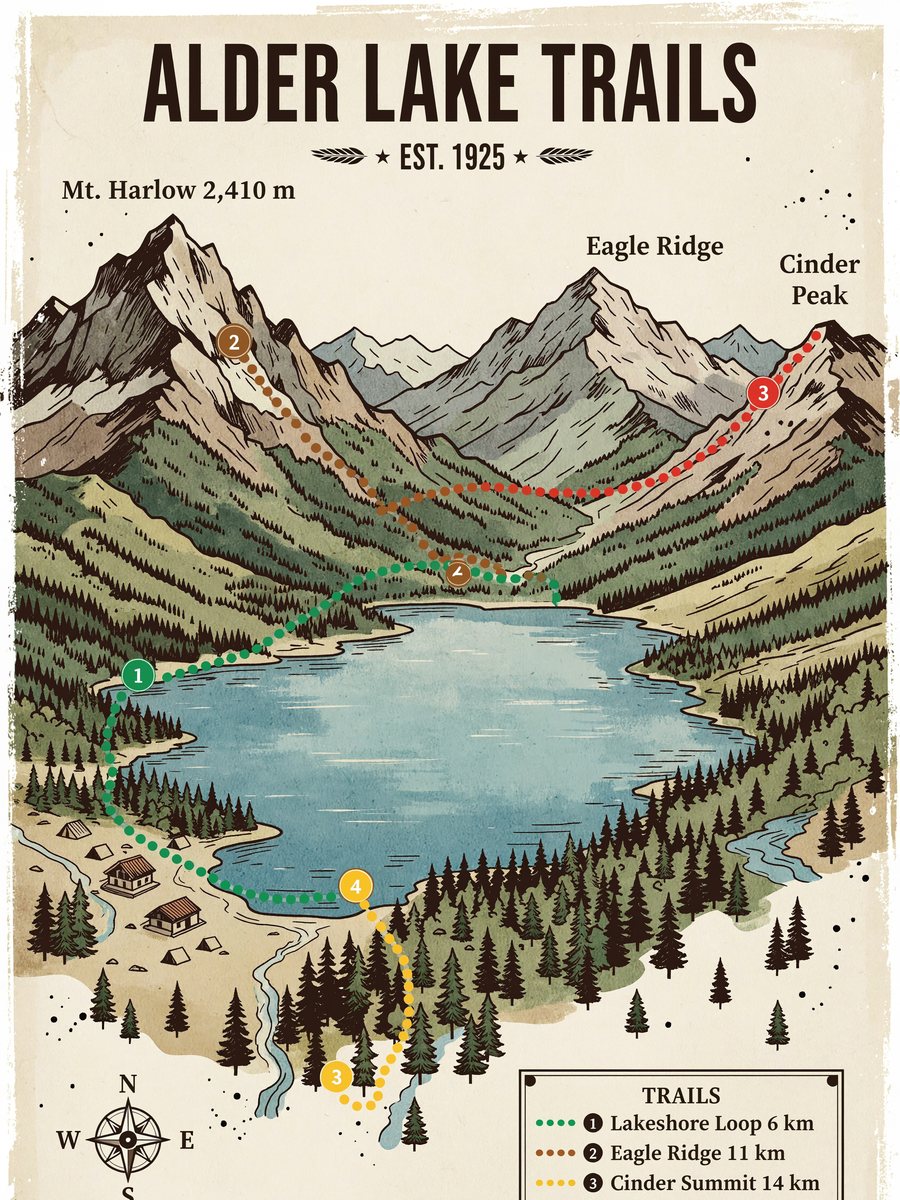 MiniMax H3 Image
Illustrated hiking trail map poster in a vintage national-park style, flat gouache colors on cream paper with slightly uneven ink edges. Title at the top in bold condensed capitals: "ALDER LAKE TRAILS". A lake in the center surrounded by pine forest and three mountain peaks labeled "Mt. Harlow 2,410 m", "Eagle Ridge" and "Cinder Peak". Four dotted trails in different colors with small numbered markers, a ranger station, campsites shown as tent icons. A legend box in the bottom right lists "1 Lakeshore Loop 6 km", "2 Eagle Ridge 11 km", "3 Cinder Summit 14 km", "4 Falls Spur 3 km". A small compass rose and a scale bar. All text spelled exactly as written.
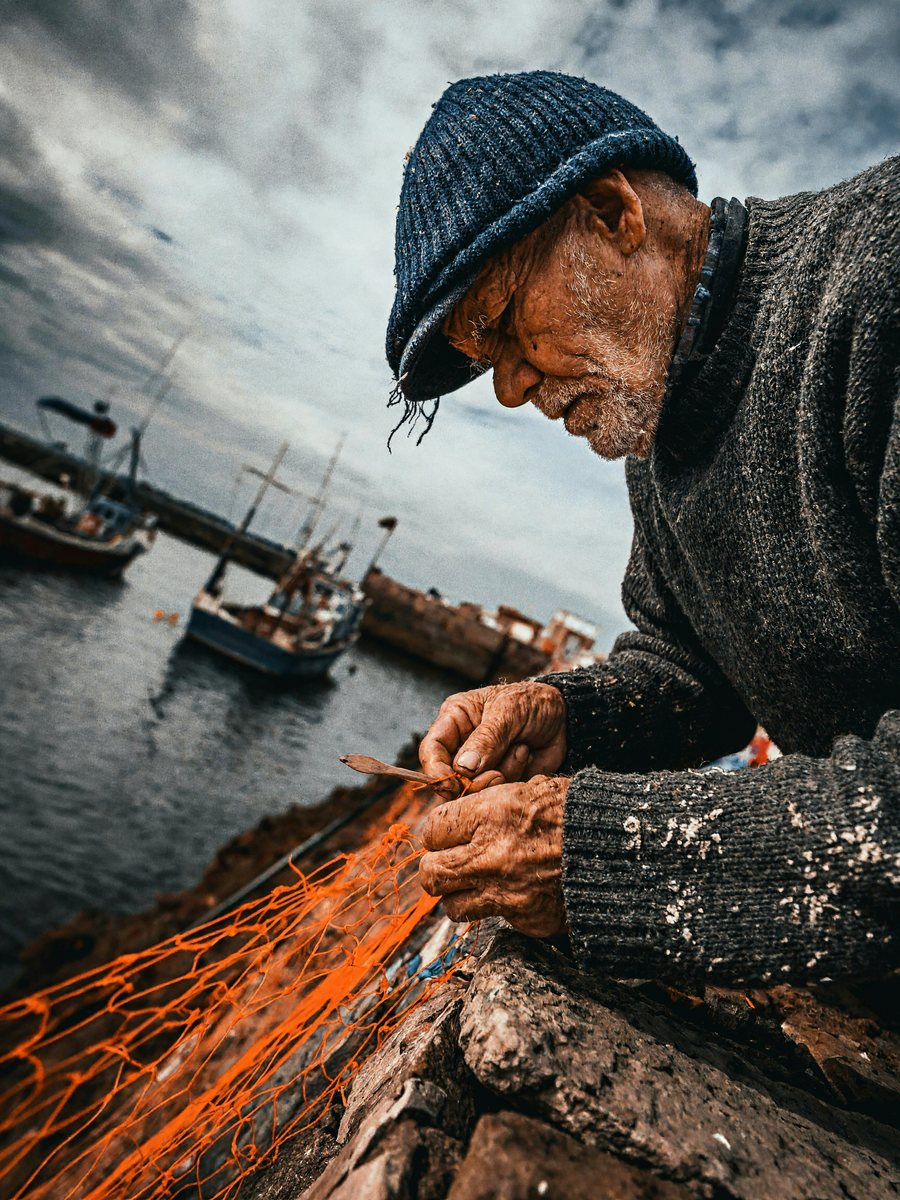 MiniMax H3 Image
Close portrait, cinematic digital photograph: an old fisherman mending a bright orange net on a harbor wall, deep lines around his eyes, white stubble, a knitted navy cap with loose threads, salt stains on his sleeves, his fingers working a wooden netting needle. He looks down at his hands, not at the camera. Overcast soft light from the sea side, muted blues with the orange net as the only strong color, fishing boats out of focus behind him, low ISO, natural skin texture without retouching, framing slightly tilted.
 MiniMax H3 Image
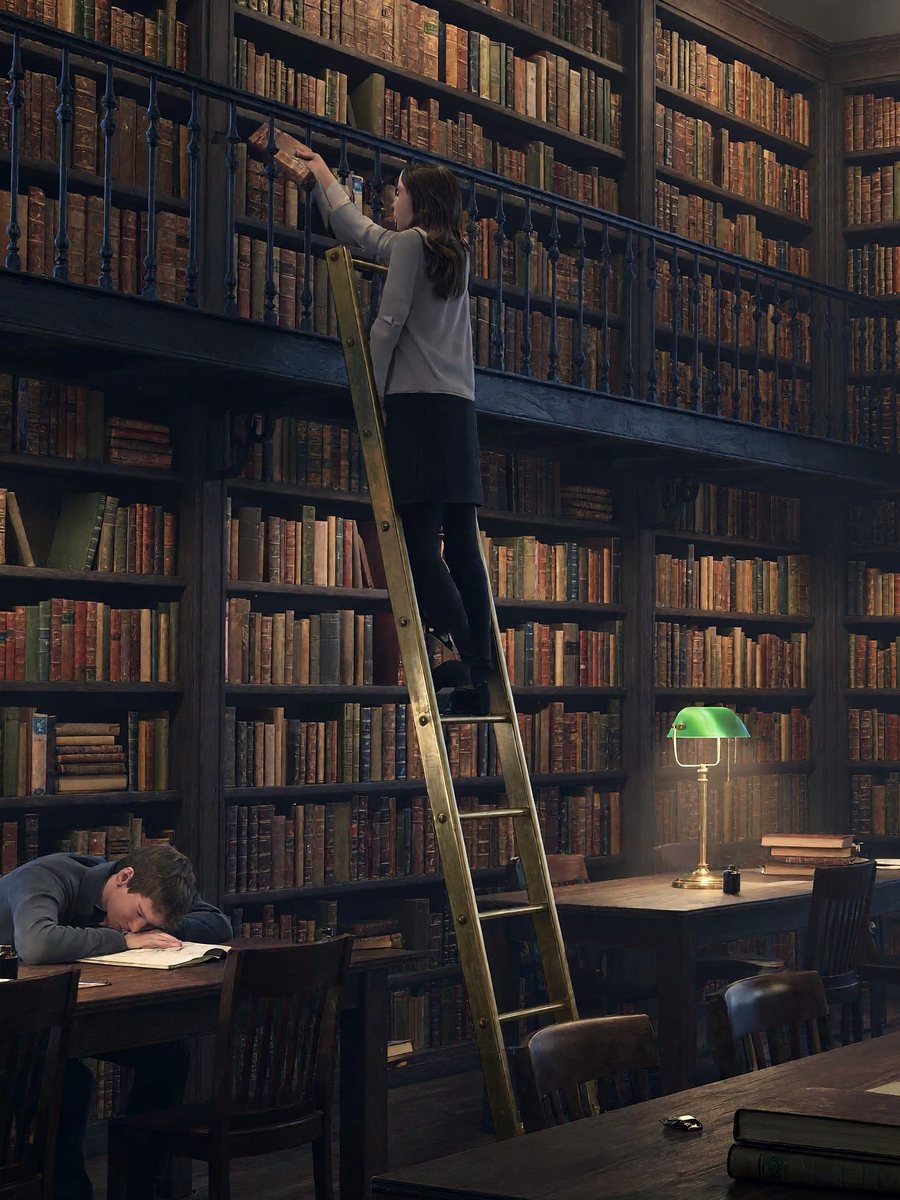
Cinematic digital photograph of an old university reading room at dusk, wide view. Two levels of dark oak bookshelves with a wrought-iron gallery, thousands of cloth and leather book spines, rows of long tables with green-shaded brass lamps switched on. A few students scattered around: one asleep on folded arms, one on a rolling ladder pulling down a book, one reading by the window. Blue evening light through tall arched windows mixes with warm lamp light, slight haze, low ISO, smooth tonal gradations, one lamp dimmer than the rest.
 MiniMax H3 Image
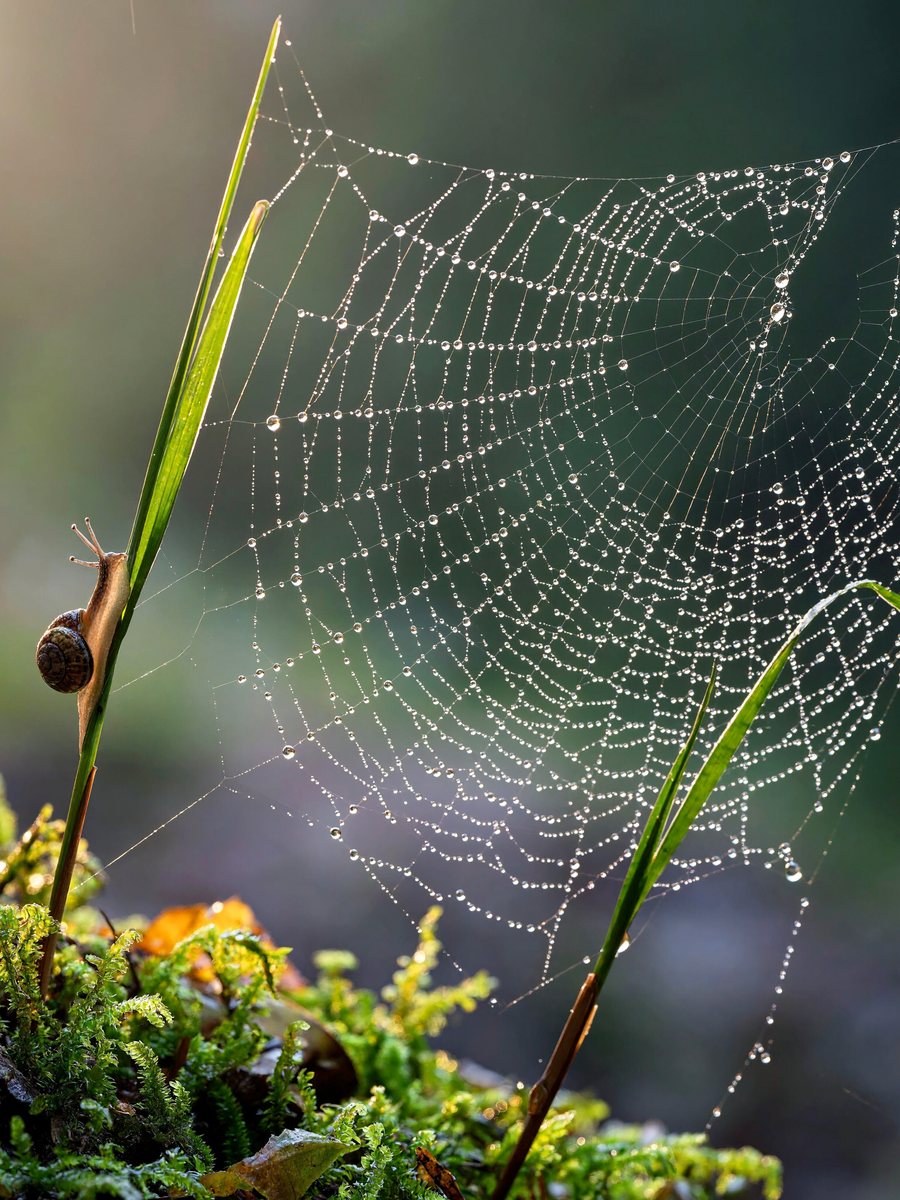
Macro photograph of a spider web stretched between two blades of grass above a bed of moss after rain, hundreds of tiny dew drops along the threads, each drop holding a miniature upside-down image of the forest behind. A small snail climbs one of the grass blades. Early morning backlight, soft green and silver tones, shallow depth of field, low ISO, smooth tonal gradations, the web slightly torn on one side.
The options below describe the modes currently exposed on FrameMux. Pick your input first, then check the controls and quote in the generator. Settings may differ between modes.
Start here when your idea is a written brief and you do not need an existing image to define the result.
Use an existing image as the starting point. Describe what should change and inspect which details were preserved.
Up to 16 reference files in this mode. Accepted inputs: Reference image.
For a useful first test, keep the task small and change one setting at a time. Review the complete output before increasing quality or length. Existing examples show individual generations, not a guarantee that every run will look or sound the same.
MiniMax H3 Image generates still images from text and edits existing pictures. Choose 1K, 2K or 4K output for portraits, illustrated posters, product concepts and detailed scenes.
Start at 1K or 2K to explore a composition. Select 4K when small lettering, fabric, foliage or surface details matter. The pixel dimensions depend on the aspect ratio.
Upload the subject, product or visual references you want to preserve. Explain what each reference contributes and name the changes you want, such as a new setting, material or lighting direction.
Put required words in quotation marks and specify their placement. Keep labels short and review the result for misspellings or extra text before publishing.
Use a square for product tiles, a portrait ratio for posters or a wide format for editorial layouts. Ten aspect ratios are supported, from 9:16 to 21:9.
What this model can do here, taken from its live settings. Try any of them in the generator above.
Describe the subject, setting and style in plain words. MiniMax H3 Image follows detailed briefs, so name what matters most first.
Upload a photo and say what to change. MiniMax H3 Image keeps the rest of the picture as it is.
Output from 1K to 4K. Aspect ratios 1:1, 2:3, 3:2, 3:4, 4:3, 4:5, 5:4, 9:16, 16:9, 21:9.
Start from text to image, image to image. Upload files where the input needs them.
Write what you want to see, then choose resolution, aspect ratio. The credit price updates as you go.
Most results land in under a minute. Download the file, or tweak the prompt and run it again.
Higher resolution and quality cost more. The generator shows the exact price for your settings before anything is charged.
Live specs and starting prices. Click a model to open its page.
| Spec | MiniMax H3 Image | GPT Image 2.6 | Nano Banana Pro | Seedream 5.0 Pro |
|---|---|---|---|---|
| Maker | MiniMax | OpenAI | ByteDance | |
| Starting price | 4 credits | 3 credits | 7 credits | 11 credits |
| Inputs | Text · Image edit | Text · Image edit | Text · Image edit | Text · Image edit |
| Max input files | 16 | 16 | 14 | 10 |
| Resolution | 1K · 2K · 4K | 1K · 2K · 4K | 1K · 2K · 4K | 1K · 2K |
| Quality | — | low · medium · high · xhigh · max | — | — |
| Aspect ratio | 1:1 · 2:3 · 3:2 · 3:4 · 4:3 · 4:5 · 5:4 · 9:16 · 16:9 · 21:9 | auto · 1:1 · 3:2 · 2:3 · 4:3 · 3:4 · 5:4 · 4:5 · 16:9 · 9:16 · 2:1 · 1:2 · 3:1 · 1:3 · 21:9 · 9:21 | auto · 1:1 · 2:3 · 3:2 · 3:4 · 4:3 · 4:5 · 5:4 · 9:16 · 16:9 · 21:9 | 1:1 · 4:3 · 3:4 · 16:9 · 9:16 · 2:3 · 3:2 · 21:9 |
Up to 16 files
Up to 2K with sound, 4 to 15 seconds
From 33 credits
The highest quality MiniMax video
From 66 credits
Finest detail and the most consistent edits
From 3 credits
OpenAI generate and edit, up to 4K
From 3 credits
Precise edits and detailed visual work
From 3 credits
Sharp text rendering and precise edits
From 3 credits
MiniMax H3 Image is a model for generating and editing still images. Start with a written description or upload reference pictures and describe the changes you want.
No. H3 Image produces still pictures. MiniMax H3 and H3 Max are separate video models; use their pages when you want motion and sound.
Yes. The model supports 1K, 2K and native 4K output. A 4K square image can be 4096 × 4096 pixels; dimensions vary with the selected aspect ratio and execution route.
Image editing supports 1 to 16 reference images. Use clear pictures and explain which subject, composition or style each one should contribute.
Select your resolution, aspect ratio and reference images in the generator to see the current credit quote. Image editing can cost more as references are added. The price is shown before you submit.
Quote the exact headline and labels, describe their positions, and avoid packing too many words into one image. Check all lettering and any unexpected text in the output.
MiniMax H3 Image is MiniMax's AI image model: native 4K images and editing with up to 16 references. On FrameMux you run it in the browser with credits, next to every other model.
Yes. New accounts get 100 free credits with no card, plus 10 more each day you sign in while your balance is under 50. MiniMax H3 Image starts at 4 credits per image, so that covers 25 images at the lowest settings.
From 4 credits per image at the lowest settings, about $0.04. Higher resolution and quality cost more, and the exact price shows before you generate. Credit packs start at $9.90 for 990 credits.
Text, Image edit. You can upload up to 16 files per job. JPG, PNG and WebP images up to 10 MB each. The panel only shows the options this model accepts.
Resolution: 1K, 2K, 4K. Aspect ratio: 1:1, 2:3, 3:2, 3:4, 4:3, 4:5, 5:4, 9:16, 16:9, 21:9. Longer and sharper outputs cost more credits.
Use reference mode and upload up to 16 clear images of the same subject from different angles. Describe the subject the same way in every prompt.
No. You use MiniMax H3 Image in the browser with FrameMux credits. There is no API key to set up and no separate subscription.
Paid credit packs and plans include commercial use, within MiniMax's terms for MiniMax H3 Image.
Only photos you have permission to use. Content of real people without consent and adult content are blocked, and blocked prompts never use credits.
Yes. Uploads and results are private to your account and are deleted after 30 days, so download what you want to keep.
The credits return to your balance automatically, and the error tells you what to change.
MiniMax H3 Image starts at 4 credits per image and GPT Image 2.6 at 3. The table above lists inputs, length and resolution side by side. The quickest way to choose is to run the same prompt on both.
100 free credits, price shown first, credits back if a job fails.
Create with MiniMax H3 Image