Text
Start here when your idea is a written brief and you do not need an existing image to define the result.
- Resolution
- 1K · 2K
- Aspect ratio
- 1:1 · 4:3 · 3:4 · 16:9 · 9:16 · 3:2 · 2:3 · 2:1 · 1:2 · 21:9
Consistent multi-round edits and photoreal images. Make images up to 2K in your browser, and see the credit price before you generate. Free to try: new accounts get 100 credits with no card.
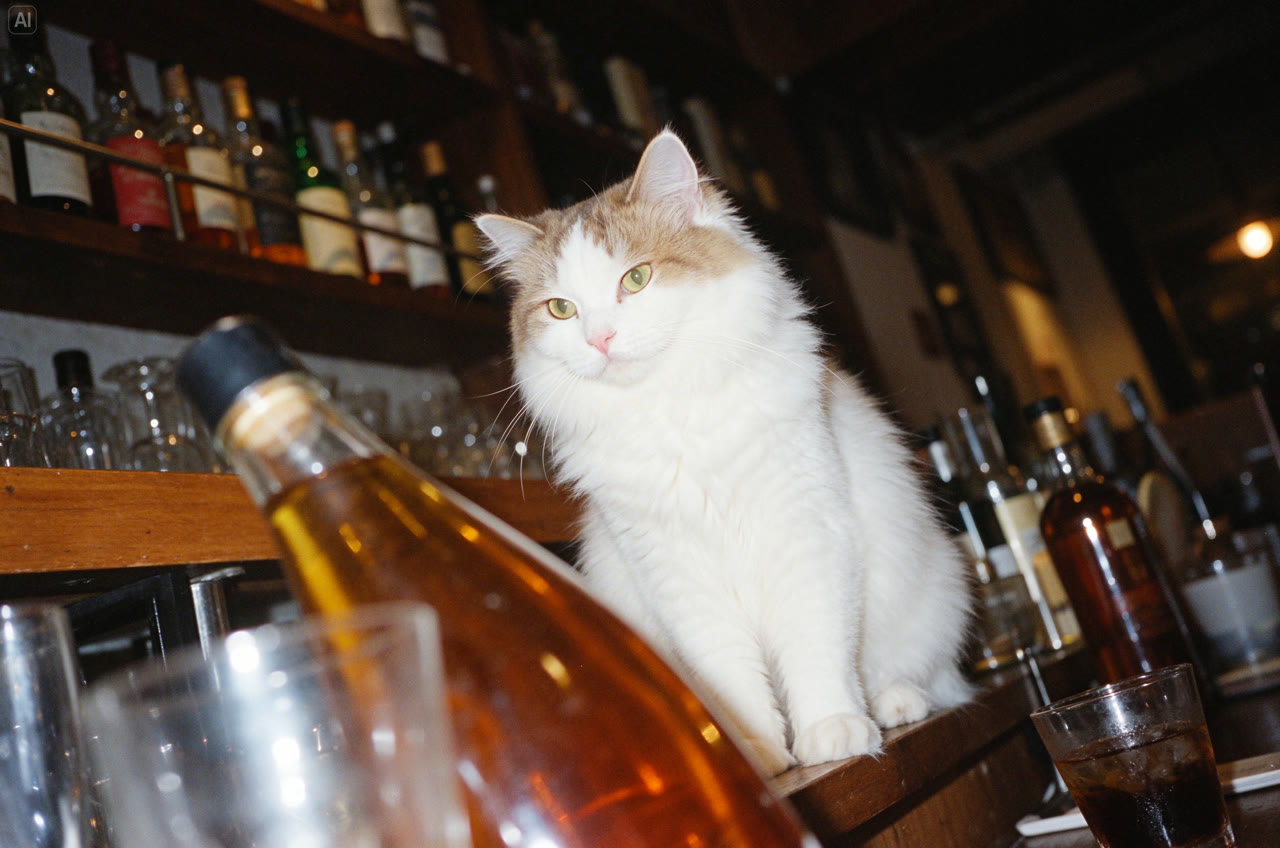
White cat in a nighttime bar
See the full prompt, model settings and reference details in the examples section below, or load this brief into the generator.
Real outputs with the prompt and settings used. Use any prompt as a starting point.
Seedream 5.5A white cat sits elegantly among bottles and glasses in a bar at night. Use a low camera angle and tilted composition, flash photography, Fujifilm Provia colors and film grain. Dappled light, bright highlights and crisp detail create a vintage photographic mood.
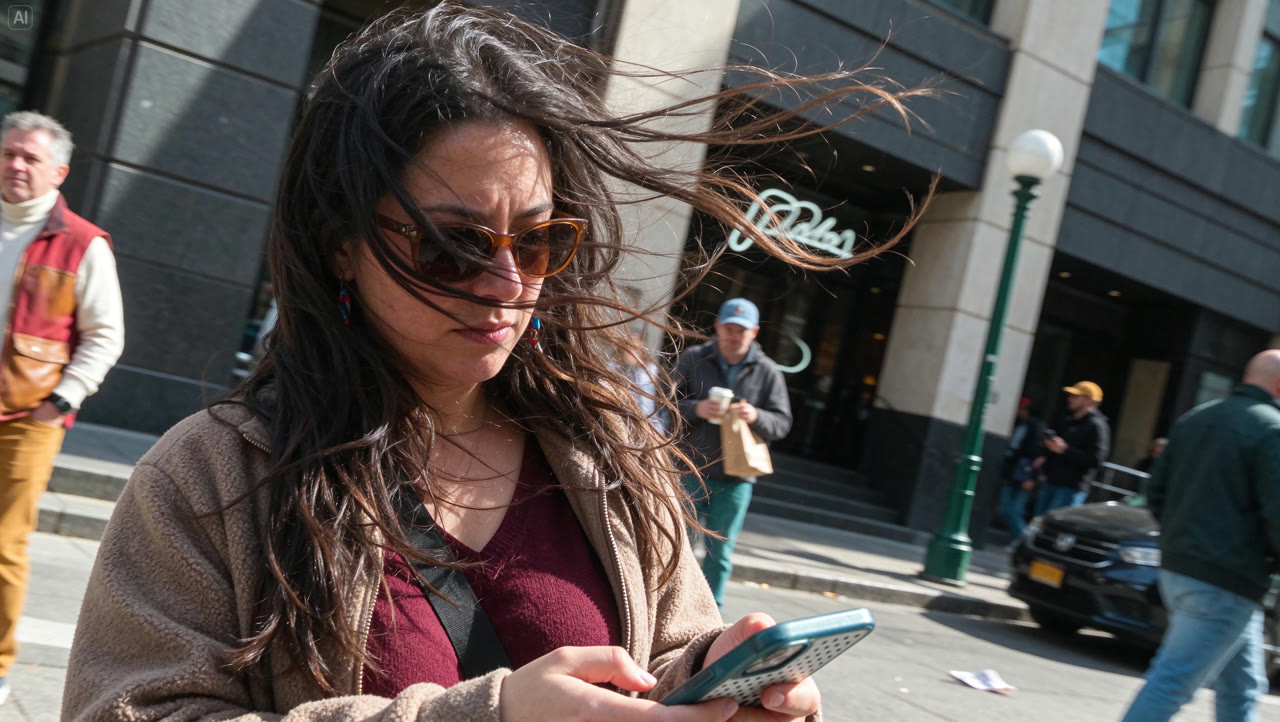 Seedream 5.5
A horizontal city street snapshot of a long-haired woman in a burgundy top and light brown coat looking at her phone. Strong wind blows her hair across her sunglasses and cheeks. Tilt the entire scene about 25 degrees clockwise, keeping the person, buildings, lampposts and pavement in the same perspective. Preserve natural clothing folds and an asymmetrical crop.
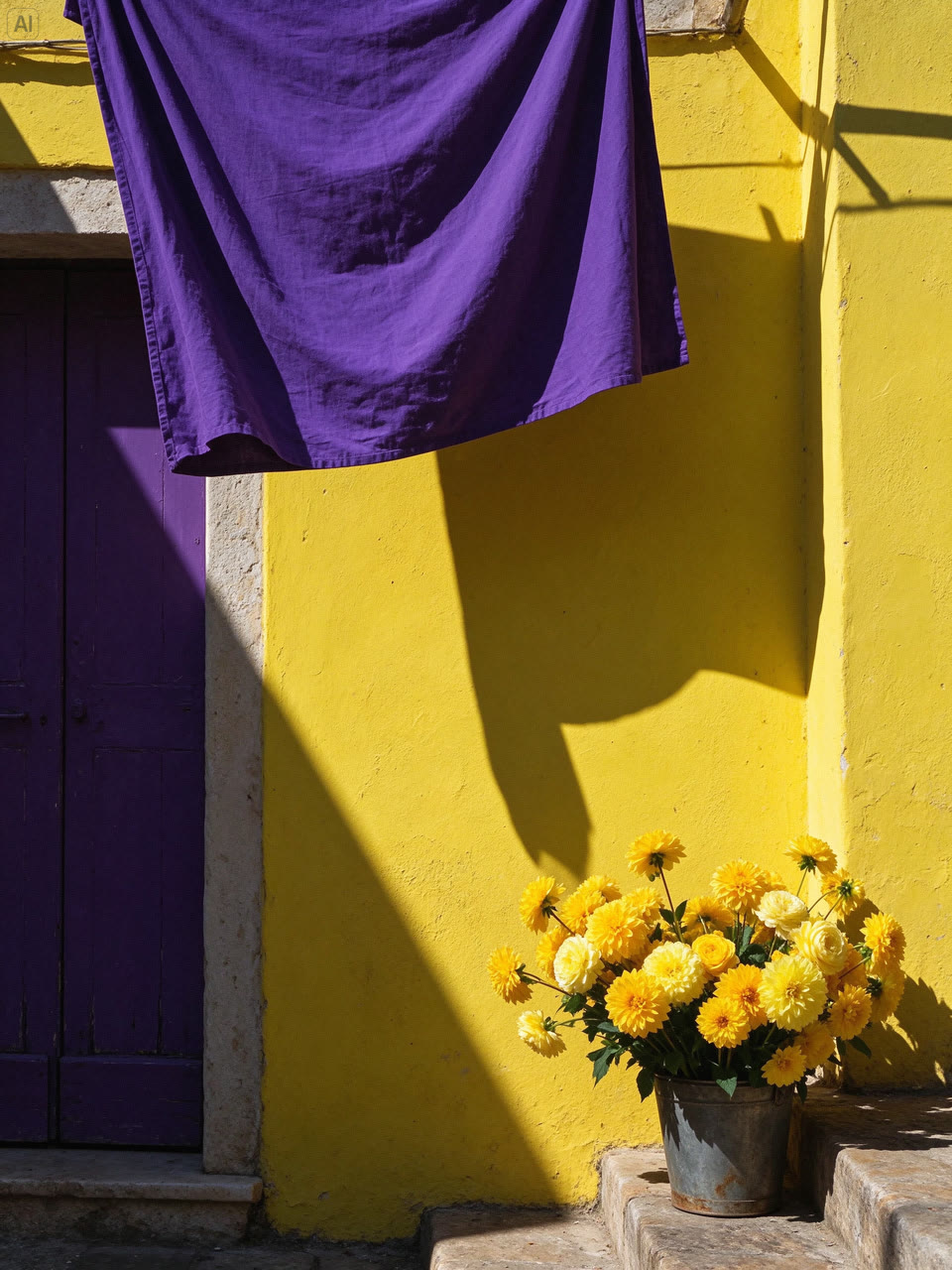 Seedream 5.5
Vertical 3:4 street photography: a lemon-yellow limewashed wall, an old dark-purple wooden door and hanging royal-purple linen form a bold geometric composition. Golden flowers sit in an old metal bucket at the lower right. Strong afternoon sunlight casts sharp shadows, revealing wall grain, fabric folds, rust and layered petals.
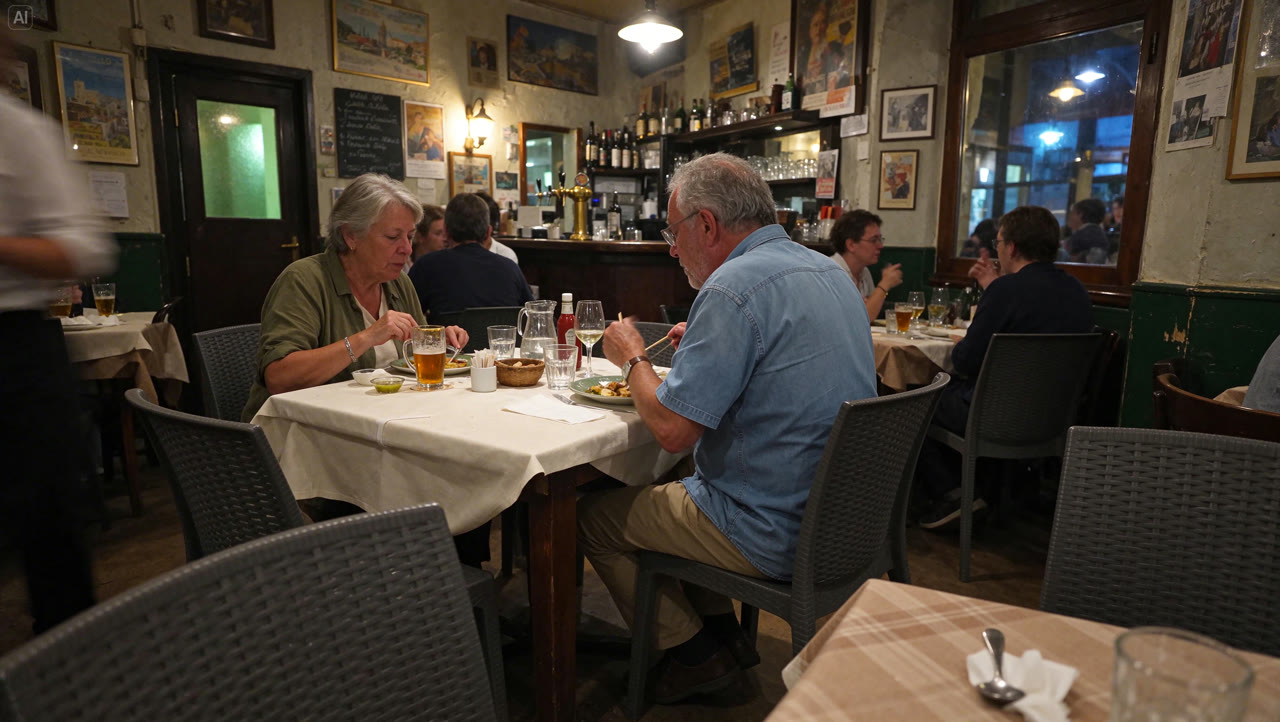 Seedream 5.5
A horizontal documentary snapshot of a European neighborhood bistro on a summer evening. Two older customers eat naturally at a table covered in off-white linen, without looking at the camera. Preserve signs of use on glasses, cutlery and old wooden furniture. Warm pendant lamps mix with cool night light, subtle high-ISO grain and foreground obstructions.
 Seedream 5.5
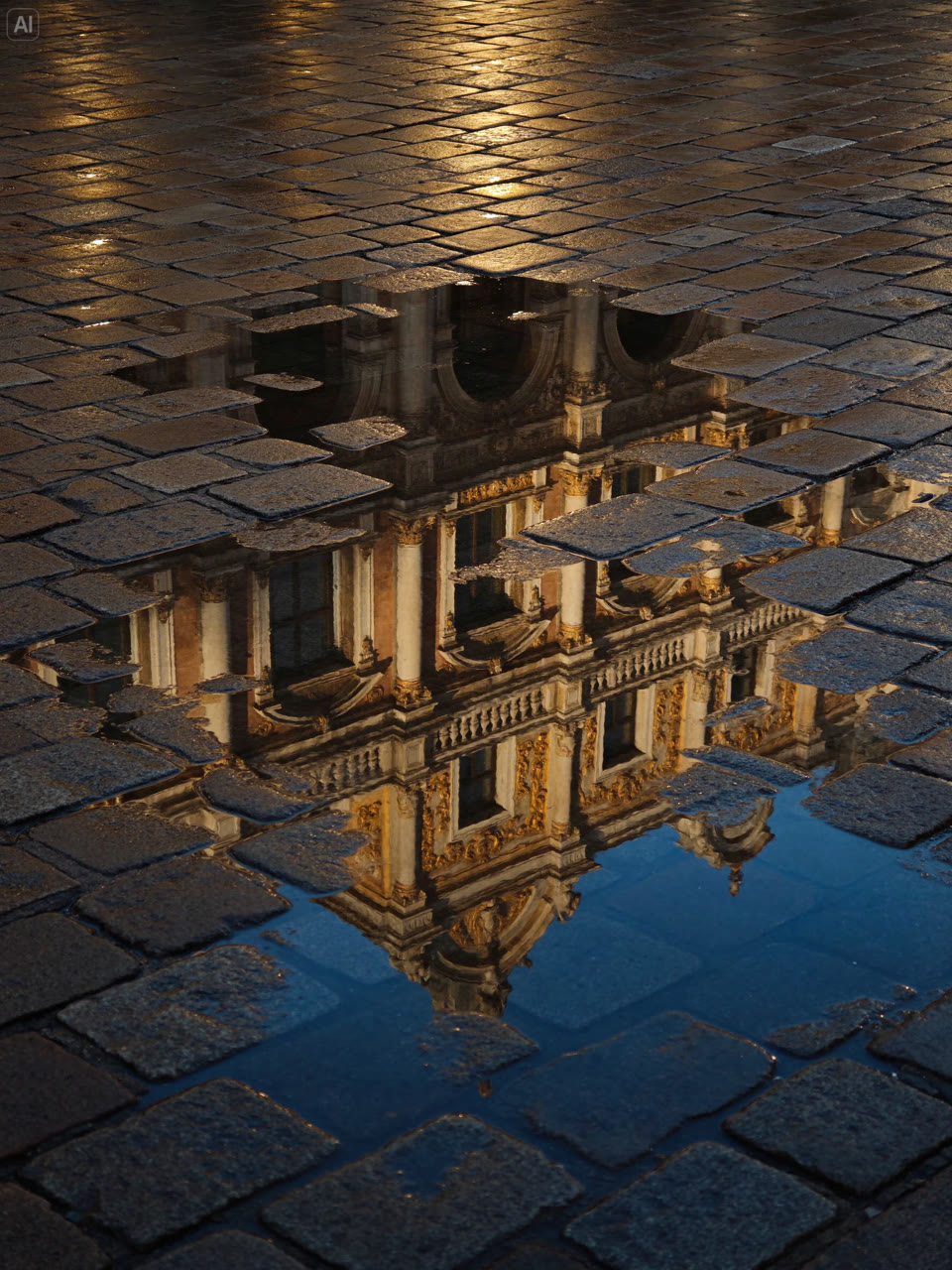
Vertical 3:4 street photography after rain, looking down at wet paving stones and an irregular puddle. Golden architectural carvings, windows and colonnades appear only as reflections, broken by paving, puddle edges and ripples. Mix warm gold light with cool deep-blue reflections. Keep worn surfaces and damp texture; exclude people, vehicles and the full building itself.
The options below describe the modes currently exposed on FrameMux. Pick your input first, then check the controls and quote in the generator. Settings may differ between modes.
Start here when your idea is a written brief and you do not need an existing image to define the result.
Use an existing image as the starting point. Describe what should change and inspect which details were preserved.
Up to 10 reference files in this mode. Accepted inputs: Reference image.
For a useful first test, keep the task small and change one setting at a time. Review the complete output before increasing quality or length. Existing examples show individual generations, not a guarantee that every run will look or sound the same.
ByteDance Seedream 5.5 focuses on repeated edits that stay consistent, more natural photography and clearer dense text. Text to image and edits with up to 10 reference images are live on FrameMux at 1K and 2K.
ByteDance demonstrates repeated edits to the same image while preserving areas outside the requested changes. Use this for iterative design, character work and product variations.
The release focuses on natural lighting, skin texture and less glossy surfaces. ByteDance’s own evaluation reports a 55.62% improvement in image-to-image realism over Seedream 5.0 Pro.
Seedream 5.5 improves dense typography, including small Chinese text. ByteDance reports a severe text error rate of 0.4% in its tests. These are vendor-reported results, not independent benchmarks.
ByteDance shows fully or partially transparent assets in its demos. Transparent PNG and layer decomposition are not available on FrameMux yet.
Official ByteDance Seed demonstrations. These clips show editing and transparent assets from the release, not generations made on FrameMux.
People, clothing, letters and chess pieces change across successive edits as the counter reaches 099.
An old study is transformed through successive editing rounds.
A demonstration of transparent assets and fine feather detail. Transparent PNG is not yet available on FrameMux.
Character cutouts are reused in different compositions. Transparent PNG is not yet available on FrameMux.
A floral composition evolves through multiple rounds of image editing.
What this model can do here, taken from its live settings. Try any of them in the generator above.
Describe the subject, setting and style in plain words. Seedream 5.5 follows detailed briefs, so name what matters most first.
Upload a photo and say what to change. Seedream 5.5 keeps the rest of the picture as it is.
Output from 1K to 2K. Aspect ratios 1:1, 4:3, 3:4, 16:9, 9:16, 3:2, 2:3, 2:1, 1:2, 21:9.
Start from text to image, image to image. Upload files where the input needs them.
Write what you want to see, then choose resolution, aspect ratio. The credit price updates as you go.
Most results land in under a minute. Download the file, or tweak the prompt and run it again.
Higher resolution and quality cost more. The generator shows the exact price for your settings before anything is charged.
Live specs and starting prices. Click a model to open its page.
| Spec | Seedream 5.5 | MiniMax H3 Image | GPT Image 2.6 | Nano Banana Pro |
|---|---|---|---|---|
| Maker | ByteDance | MiniMax | OpenAI | |
| Starting price | — | 4 credits | 3 credits | 7 credits |
| Inputs | Text · Image edit | Text · Image edit | Text · Image edit | Text · Image edit |
| Max input files | 10 | 16 | 16 | 14 |
| Resolution | 1K · 2K | 1K · 2K · 4K | 1K · 2K · 4K | 1K · 2K · 4K |
| Quality | — | — | low · medium · high · xhigh · max | — |
| Aspect ratio | 1:1 · 4:3 · 3:4 · 16:9 · 9:16 · 3:2 · 2:3 · 2:1 · 1:2 · 21:9 | 1:1 · 2:3 · 3:2 · 3:4 · 4:3 · 4:5 · 5:4 · 9:16 · 16:9 · 21:9 | auto · 1:1 · 3:2 · 2:3 · 4:3 · 3:4 · 5:4 · 4:5 · 16:9 · 9:16 · 2:1 · 1:2 · 3:1 · 1:3 · 21:9 · 9:21 | auto · 1:1 · 2:3 · 3:2 · 3:4 · 4:3 · 4:5 · 5:4 · 9:16 · 16:9 · 21:9 |
Up to 10 files
Flagship Seedream with strong text rendering
From 11 credits
Photoreal images and multi image edits
From 10 credits
Classic high resolution images at 2K
From 10 credits
Finest detail and the most consistent edits
From 3 credits
OpenAI generate and edit, up to 4K
From 3 credits
Precise edits and detailed visual work
From 3 credits
ByteDance Seed released Seedream 5.5 on November 9, 2026. It is rolling out across Jimeng, CapCut, Doubao and Volcengine, with overseas API access through BytePlus ModelArk. A Pro version is planned to follow.
Yes. Text to image and image edits with up to 10 reference images are available at 1K and 2K. The generator shows the credit price for your settings before you run a job.
Pricing updates hourly from the live channels. Open the Seedream 5.5 page or the generator to see the current starting price and the exact quote for your resolution and references.
On FrameMux: text to image and edits with up to 10 reference images, 1K and 2K output, and ten aspect ratios from 21:9 to 1:2. Transparent PNG and layer decomposition are not available yet.
Use Seedream 5.5 when you need repeated edits, denser text or more natural photography. Seedream 5.0 Pro remains a strong option and may have more channel backup. Compare the live settings and credit quotes for your task.
ByteDance’s expert blind evaluation found stronger text structure than GPT Image 2.5 Sunburst and Nano Banana 2.1, plus strong text-to-image realism. The evaluation ran on ByteDance’s MagicArena platform and is not an independent comparison.
Seedream 5.5 is ByteDance's AI image model: consistent multi-round edits and photoreal images. On FrameMux you run it in the browser with credits, next to every other model.
Yes. New accounts get 100 free credits with no card, plus 10 more each day you sign in while your balance is under 50.
Higher resolution and quality cost more, and the exact price shows before you generate. Credit packs start at $9.90 for 990 credits.
Text, Image edit. You can upload up to 10 files per job. JPG, PNG and WebP images up to 10 MB each. The panel only shows the options this model accepts.
Resolution: 1K, 2K. Aspect ratio: 1:1, 4:3, 3:4, 16:9, 9:16, 3:2, 2:3, 2:1, 1:2, 21:9. Longer and sharper outputs cost more credits.
Use reference mode and upload up to 10 clear images of the same subject from different angles. Describe the subject the same way in every prompt.
No. You use Seedream 5.5 in the browser with FrameMux credits. There is no API key to set up and no separate subscription.
Paid credit packs and plans include commercial use, within ByteDance's terms for Seedream 5.5.
Only photos you have permission to use. Content of real people without consent and adult content are blocked, and blocked prompts never use credits.
Yes. Uploads and results are private to your account and are deleted after 30 days, so download what you want to keep.
The credits return to your balance automatically, and the error tells you what to change.
100 free credits, price shown first, credits back if a job fails.
Create with Seedream 5.5