Text
- Resolution
- 1K · 2K · 4K
- Aspect ratio
- auto · 1:1 · 3:2 · 2:3 · 4:3 · 3:4 · 5:4 · 4:5 · 16:9 · 9:16 · 2:1 · 1:2 · 3:1 · 1:3 · 21:9 · 9:21
- Quality
- low · medium · high · xhigh · max
Finest detail and the most consistent edits. Make images up to 4K in your browser, and see the credit price before you generate. Free to try: new accounts get 100 credits with no card, and you sign in with Google to generate.
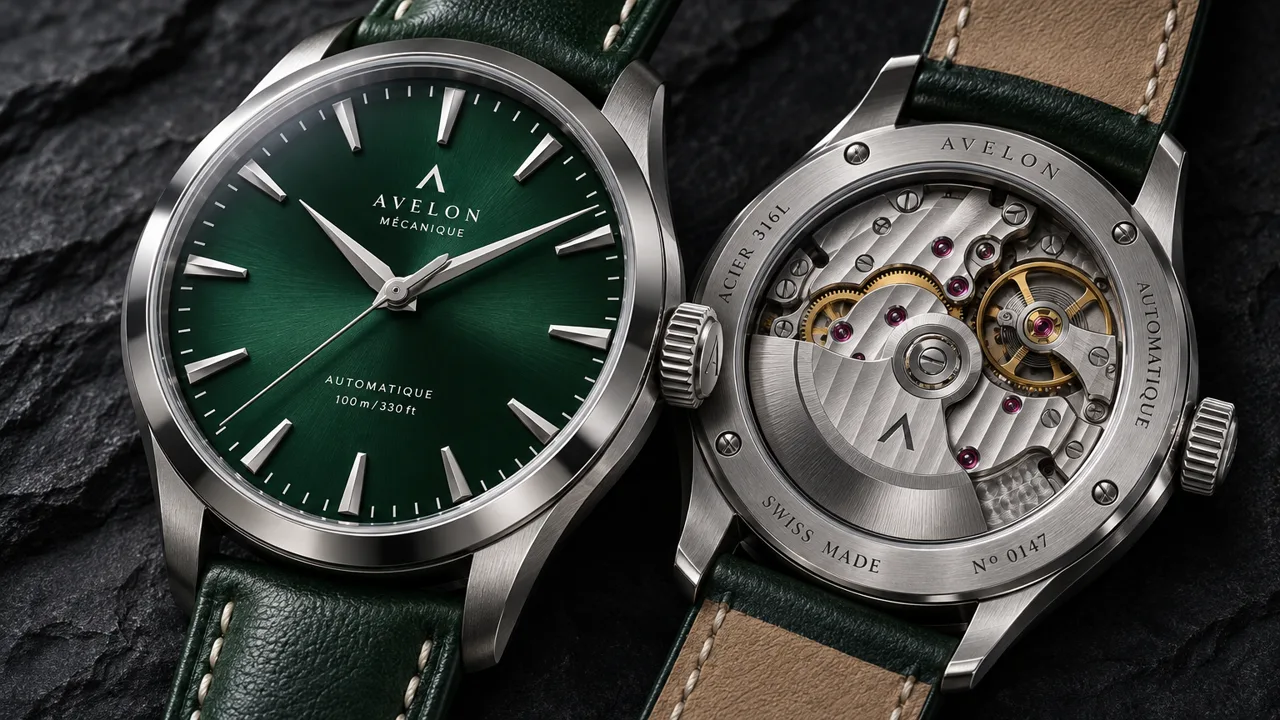
Watch movement macro
A macro product shot of a mechanical wristwatch with an open caseback, visible gears, jewels and balance wheel, brushed steel case and a deep green dial, on dark slate with a single soft key light, crisp reflections, high end catalog photo
Real outputs with the prompt and settings used. Use any prompt as a starting point.
GPT Image 2.6 SunburstA macro product shot of a mechanical wristwatch with an open caseback, visible gears, jewels and balance wheel, brushed steel case and a deep green dial, on dark slate with a single soft key light, crisp reflections, high end catalog photo
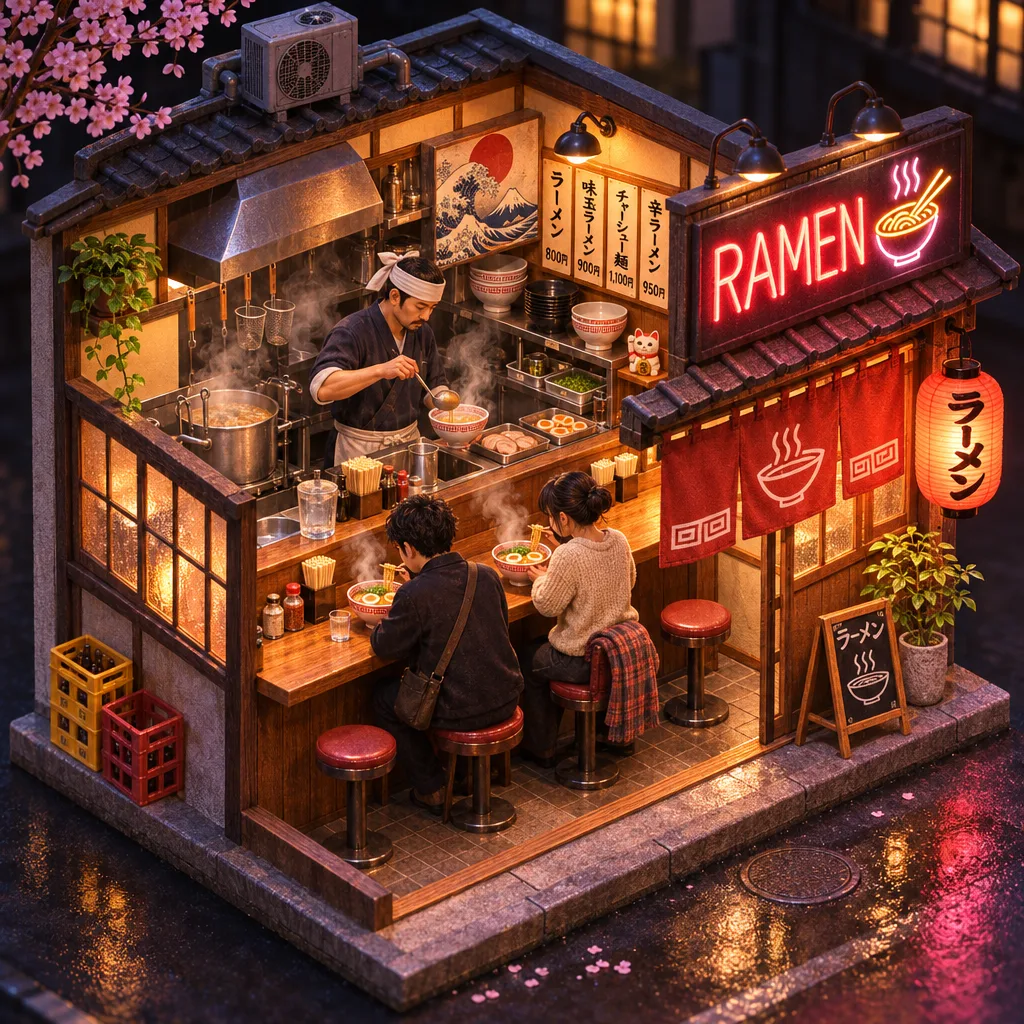 GPT Image 2.6 Sunburst
A detailed isometric cutaway of a tiny ramen shop at night, a chef behind the counter, steam rising from bowls, two customers on stools, a neon sign reading "RAMEN", warm interior light, miniature diorama style
Sunburst is the quality version of OpenAI’s Images 2.6 release. It uses the same settings as GPT Image 2.6 Flare and currently costs the same, but puts more into detail and into keeping an image consistent across edits.
OpenAI positions Sunburst for work that calls for greater detail and precision, such as hero shots, detailed scenes and print layouts.
At medium or high quality, Sunburst keeps characters, products and brand details steadier across editing rounds than Flare.
Upload up to 16 images of the same product or character, then describe the new scene. Output goes from 1K to 4K.
For quick drafts and fast edits, GPT Image 2.6 Flare returns sooner. Pick Sunburst once you know what you want and need the final version.
What this model can do here, taken from its live settings. Try any of them in the generator above.
Describe the subject, setting and style in plain words. GPT Image 2.6 Sunburst follows detailed briefs, so name what matters most first.
Upload a photo and say what to change. GPT Image 2.6 Sunburst keeps the rest of the picture as it is.
Output from 1K to 4K. Aspect ratios 1:1, 3:2, 2:3, 4:3, 3:4, 5:4, 4:5, 16:9, 9:16, 2:1, 1:2, 3:1, 1:3, 21:9, 9:21.
Start from text to image, image to image. Upload files where the input needs them.
Write what you want to see, then choose resolution, aspect ratio. The credit price updates as you go.
Most results land in under a minute. Download the file, or tweak the prompt and run it again.
Higher resolution and quality cost more. The generator shows the exact price for your settings before anything is charged.
Live specs and starting prices. Click a model to open its page.
| Spec | GPT Image 2.6 Sunburst | Nano Banana Pro | Seedream 5.0 Pro | Grok Imagine Image 2.0 |
|---|---|---|---|---|
| Maker | OpenAI | ByteDance | xAI | |
| Starting price | 8 credits | 6 credits | 9 credits | 5 credits |
| Inputs | Text · Image edit | Text · Image edit | Text · Image edit | Text · Image edit |
| Max input files | 16 | 14 | 10 | 3 |
| Resolution | 1K · 2K · 4K | 1K · 2K · 4K | 1K · 2K | 1K · 2K |
| Quality | low · medium · high · xhigh · max | — | — | low · medium |
| Aspect ratio | auto · 1:1 · 3:2 · 2:3 · 4:3 · 3:4 · 5:4 · 4:5 · 16:9 · 9:16 · 2:1 · 1:2 · 3:1 · 1:3 · 21:9 · 9:21 | auto · 1:1 · 2:3 · 3:2 · 3:4 · 4:3 · 4:5 · 5:4 · 9:16 · 16:9 · 21:9 | 1:1 · 4:3 · 3:4 · 16:9 · 9:16 · 2:3 · 3:2 · 21:9 | 1:1 · 16:9 · 9:16 · 4:3 · 3:4 · 3:2 · 2:3 · auto |
Up to 16 files
OpenAI generate and edit, up to 4K
From 3 credits
Faster OpenAI images with cleaner layouts
From 8 credits
Precise edits and detailed visual work
From 3 credits
Wide aspect ratios, 14 references, 4K
From 4 credits
Fast generation and editing up to 4K
From 4 credits
The lowest cost Google image model
From 3 credits
Yes. OpenAI calls the release Images 2.6 in ChatGPT and Codex, and offers it in the API as two models: GPT Image 2.6 Flare and GPT Image 2.6 Sunburst. Both are on FrameMux, and you do not need a ChatGPT plan to use them.
OpenAI released Images 2.6 on November 4, 2026, in ChatGPT, Codex and the API at the same time.
In ChatGPT and OpenAI’s own API, Images 2.6 can turn an image into a looping GIF. FrameMux returns still images for now. You can still ask for an animation sprite sheet, a grid of frames in one image, as in OpenAI’s launch examples.
Use Flare for speed and drafts, and Sunburst for the most detail and consistent edits at medium or high quality. Both currently cost the same per image, so the choice is about speed and quality.
GPT Image 2.6 Sunburst is OpenAI's AI image model: finest detail and the most consistent edits. On FrameMux you run it in the browser with credits, next to every other model.
Yes. New accounts get 100 free credits with no card, plus 10 more each day you sign in while your balance is under 50. GPT Image 2.6 Sunburst starts at 8 credits per image, so that covers 12 images at the lowest settings.
From 8 credits per image at the lowest settings, about $0.08. Higher resolution and quality cost more, and the exact price shows before you generate. Credit packs start at $9.90 for 990 credits.
Text, Image edit. You can upload up to 16 files per job. JPG, PNG and WebP images up to 10 MB each. The panel only shows the options this model accepts.
Resolution: 1K, 2K, 4K. Aspect ratio: 1:1, 3:2, 2:3, 4:3, 3:4, 5:4, 4:5, 16:9, 9:16, 2:1, 1:2, 3:1, 1:3, 21:9, 9:21. Longer and sharper outputs cost more credits.
Use reference mode and upload up to 16 clear images of the same subject from different angles. Describe the subject the same way in every prompt.
No. You use GPT Image 2.6 Sunburst in the browser with FrameMux credits. There is no API key to set up and no separate subscription.
Paid credit packs and plans include commercial use, within OpenAI's terms for GPT Image 2.6 Sunburst.
Only photos you have permission to use. Content of real people without consent and adult content are blocked, and blocked prompts never use credits.
Yes. Uploads and results are private to your account and are deleted after 30 days, so download what you want to keep.
The credits return to your balance automatically, and the error tells you what to change.
GPT Image 2.6 Sunburst starts at 8 credits per image and Nano Banana Pro at 6. The table above lists inputs, length and resolution side by side. The quickest way to choose is to run the same prompt on both.
100 free credits, price shown first, credits back if a job fails.
Create with GPT Image 2.6 Sunburst