Animate old photos with AI
Upload a scanned or old family photo. The people blink, breathe and smile softly while the original look of the photo stays intact.
- 1 photo · No prompt
- 5s clip
- From 194 credits
- Runs on Kling 4.0
Example
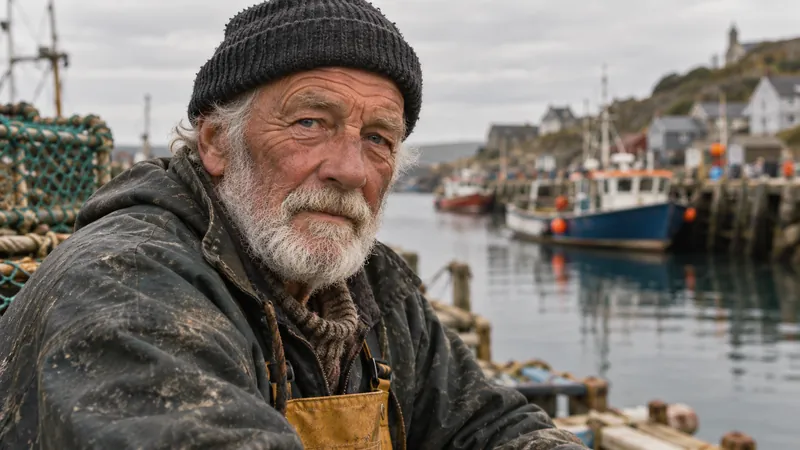
Animate old photos preview
What the result looks like
Small, natural motion
Blinks, breathing and a soft smile instead of big movements that distort faces.
Original look kept
Grain, colors and framing stay as they are in the scan.
Steady camera
The frame holds still, like the photo came alive on the table.
Which photos work best
Works well
- Clear scan or photo of the print
- Faces visible and in focus
- Crop out the album page edges
Avoid
- Very small faces in a large group
- Torn areas across faces
- Photos of a screen
How it works
- 01
Upload a photo
1 photo, JPG, PNG or WebP up to 10 MB.
- 02
Confirm and generate
Tick the permission box and check the credit price, then generate.
- 03
Download and share
Most clips are ready in one to three minutes. Download the MP4.
More AI effects
Animate old photos questions
Does it work with black and white photos?
Yes. The video keeps the photo black and white. Colorize it first if you want a color result.
Do I need to write a prompt for old photo animation?
No. The prompt is built in. Upload a photo, confirm you have permission to use it, and generate.
Who can see my photo and video?
Only you. Uploads and results are private to your account and are deleted after 30 days, so download what you want to keep.
What if the result looks wrong?
Try a sharper, front facing photo with even light. If a job fails, the credits return to your balance automatically.
48 free credits on sign up, no card needed.
Upload a photo and start