Image to video AI generator
Upload a photo and describe the motion. Kling, Seedance, Veo and MiniMax keep your subject and animate the scene.
Example
Models for image to video
26 models can run this tool. Switch between them in the generator without leaving the page.
Kling 4.0
newUp to 30s with keyframes and native audio
3 to 30s · up to 1080p · native audio
From 194 credits
Kling 3.0
Up to 4K with optional native audio
3 to 30s · up to 4K · native audio
From 101 credits
Kling 2.6
Motion control and reference to video
5 to 10s · up to 1080p · native audio
From 56 credits
Seedance 2.5
hotMulti shot scenes with native audio
4 to 30s · up to 1080p · native audio
From 116 credits
Seedance 2.0
Text, image and up to 15 references
4 to 15s · up to 4K · native audio
From 80 credits
Seedance 2.0 Fast
Seedance 2.0 with faster turnaround
4 to 15s · up to 720p · native audio
From 60 credits
Seedance 2.0 Mini
Lightweight model for quick previews
4 to 15s · up to 720p · native audio
From 28 credits
Seedance 1.5 Pro
Fast clips from text or a photo
4 to 12s · up to 1080p · native audio
From 25 credits
Veo 3.1
Google video with dialogue and sound
4 to 8s · up to 4K · native audio
From 192 credits
Veo 3.1 Fast
Veo quality at lower cost and latency
4 to 8s · up to 4K · native audio
From 42 credits
Gemini Omni 1.1 Flash
Gemini video with native audio
4 to 10s · up to 4K
From 75 credits
MiniMax H3
hotUp to 2K with sound, 4 to 15 seconds
4 to 15s · up to 2K · native audio
From 28 credits
MiniMax H3 Max
The highest quality MiniMax video
5 to 15s · up to 768P · native audio
From 57 credits
Hailuo 2.3
Realistic motion from text or a photo
6 to 10s · up to 1080p
From 68 credits
Hailuo 2.3 Fast
Faster Hailuo clips from a photo
6 to 10s · up to 1080p
From 45 credits
Wan 3.0
newText, image and reference to video
2 to 30s · up to 1080p · native audio
From 50 credits
Wan 3.0 Prime
Faster Wan 3.0 with the same inputs
2 to 30s · up to 1080p · native audio
From 102 credits
Wan 2.7
Text, image and reference to video
2 to 15s · up to 1080p · native audio
From 100 credits
Wan 2.6
Classic Wan video from text or a photo
5 to 10s · up to 1080p · native audio
From 75 credits
HappyHorse 1.1
Video with native audio and 9 references
3 to 15s · up to 1080p · native audio
From 169 credits
Grok Imagine Video
Fast clips from text or a photo
6 to 30s · up to 720p · native audio
From 19 credits
Grok Imagine Video 1.5
new1080p with lip synced audio
1 to 15s · up to 1080p · native audio
From 29 credits
Grok Imagine Video 1.5 Lite
Lowest cost Grok video with audio
1 to 15s · up to 720p · native audio
From 51 credits
FLUX 3 Video
Video with native audio up to 4K
5 to 20s · up to 4K · native audio
From 204 credits
FLUX 3 Max
Fast FLUX video with native audio
5 to 20s · up to 1080p · native audio
From 64 credits
HeyGen Video 1.0
Native dialogue and sound up to 2K
5 to 15s · up to 2K · native audio
From 27 credits
How it works
- 01
Upload your image
A JPG, PNG or WebP up to 10 MB. It becomes the first frame of the clip.
- 02
Describe the motion
Say what moves and how the camera follows. Short, concrete prompts work best.
- 03
Generate and download
Pick a model and length, check the credits, then download the MP4.
Image to video pricing
You pay per result in credits, priced by model and settings. The exact cost shows next to the generate button, and failed jobs are refunded automatically.
See credit packs and plans- Cheapest model
- 19 credits
- Free on sign up
- 48 credits
More AI tools
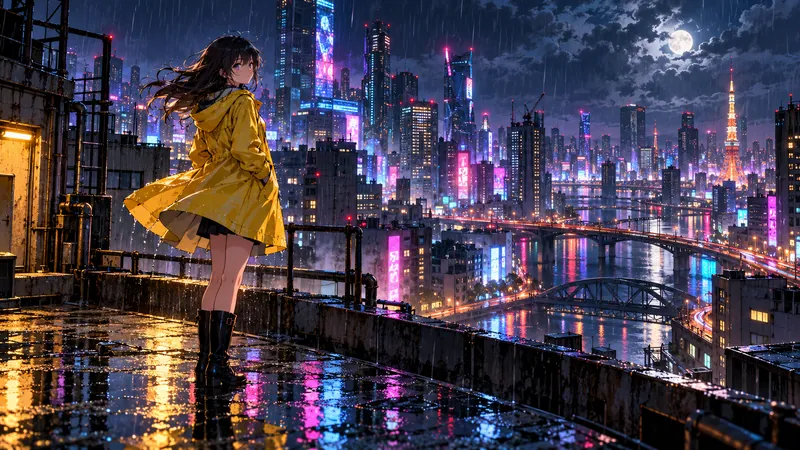
Image to video questions
Which image formats work?
JPG, PNG and WebP up to 10 MB. Higher resolution photos keep more detail in the clip.
Will the video keep my subject the same?
The image is used as the first frame, so faces, products and layout carry into the clip. Large movements can still drift, so describe gentle motion for close ups.
Can I set the last frame too?
Yes. Use frames to video to upload both a start and an end image.
Who can see my uploads?
Uploads and results are private to your account and are deleted after 30 days.